
Launching a Text Broadcast by Phone
What is Phone Launch and how does it work?
Phone Launch allows you to send text broadcasts directly from your mobile phone without logging into your Text-Em-All account. Once enabled, you can text special commands to your account's text number to instantly reach all your contacts or specific groups, making it perfect for urgent updates or time-sensitive communications.
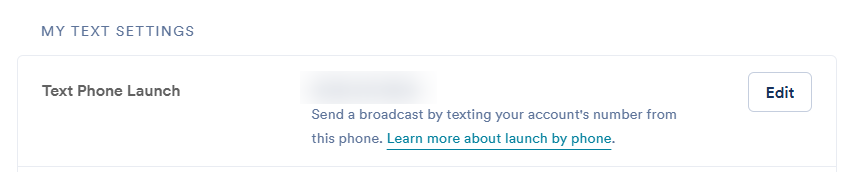
You can launch text broadcasts directly from your mobile phone without having to log in to your Text-Em-All account. You must first enable this feature in the Text Settings section of your Settings page by adding your cell phone as an authorized number.
How do I enable Phone Launch?
To set up Phone Launch, you need to authorize your mobile phone number in your account settings. This security measure ensures only you can send broadcasts from your phone.
- Navigate to your Text Settings tab on the Settings page
- Click Set Up Text Phone Launch (If there is already a mobile number entered, click Edit to change the number)
- Enter your mobile number and click Save
How do I use Phone Launch to send text broadcasts?
Once Phone Launch is enabled, you can send broadcasts using simple text commands. The system recognizes special codes that tell it whether to message everyone or just a specific group.
To launch a broadcast, you'll send a text beginning with "#all" to your account's text number.
Note: You can find your account's text number on the Inbox or Text Settings page of your account. We recommend saving it in your phone's contacts so it's ready whenever you need it.
If you want to send a text to a specific group instead of everyone, you'll need to know the List ID of the group that you want to text. You can learn about List ID's in our article, Contact Group List IDs.
How do I text a specific group?
- Text #ListID and your message to your account's text number (Find this on the Inbox or Text Settings page)
- Example: "#6 Coach Jones here. The start time for tomorrow's game has changed to 8pm."

How do I text all cell phone numbers in my account?
- Text #all or #0 and your message to your account's text number (Find this on the Inbox or Text Settings page)
- Example: "#all Coach Jones here - Don't be late for tomorrow's 8pm game!"

What are the limitations of Phone Launch?
While Phone Launch is convenient for quick text broadcasts, it has some limitations compared to using the full Text-Em-All platform.
Note: Sending an image is not compatible with Phone Launch.
What are alternative ways to send broadcasts from my phone?
If you need more features than Phone Launch provides, you have other mobile options available.
You are also able to send a broadcast directly through the Text-Em-All mobile site, which you can access on your mobile device at app.text-em-all.com